
Greenify
identify and put the misbehaving apps into hibernation when you are not actively using them.
Screenshots:
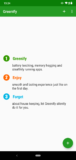
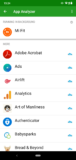
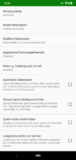
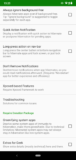
About Greenify
Greenify conserves and enables you to save your phone’s battery life by systematically putting apps into hibernation mode on your Android phone.
It scans and idles useless apps, keeping them from running in the background and draining your battery.
Not only does Greenify stop them from eating at your battery, but it also prevents them from slowing down your device.
You will save your phone’s battery while speeding up its performance. This app works on both rooted and non-rooted phones, but you can get more out of Greenify if you use a rooted phone. You can always root your phone by using KingRoot.
Greenify app FAQs:
There are two versions of the Greenify app. A free version, and a paid Donation version.
The paid version of the app offers a few additional experimental features, and it allows users who like that app to support the App’s developers. Plus paid also removes all the ads.
After downloading and installing Greenify, you will have to go through a quick setup process. Allowing the app all the appropriate permissions and device access it needs.
To add apps that you don’t need, tap the floating action button with a plus sign on it in the bottom right corner. This will load the App Analyzer. Select the app that is showing and add them systematically. Greenify will add and hibernate the selected apps and speed up your phone.
When you first start using Greenify you choose the list of apps you’d like to close, and everything else stays running as it always has. So instead of just closing everything, you must first pick and choose the apps that you’d like to hibernate.
Technical file information
| Package name: | com.oasisfeng.greenify |
| Version: | 5.1.1 (51100) |
| File size: | 5.7 MB |
| Updated: | |
| Minimum Android version: | Android 12 (API 31) |
| Screen DPI: | nodpi |
| Architecture: | universal |
| MD5: | 62fd23645ea48bcc8ab828d75b93c781 |
| SHA1: | 1d12fc92045a4664297a228a843a96811b2b521a |
Older Versions of Greenify:
We’ve archived multiple Greenify APK versions. Whether you’re downgrading or need a specific build, browse and download the older version that meets your needs. Download Greenify Old Versions »
What's new in this version of Greenify?
- NEW: Wake-up cut-off now works in non-root mode! (currently only on Android 4.4~5.x)
- NEW: "Broad wake-up cut-off" - one cut-off for all similar wake-ups. (use with caution!)
- NEW: "User guide" in the first launch.
- NEW: "Privileged Mode", more powerful than Root mode. It can be activated either by ROM-integration or moving app to system partition (/system/priv-app).
- Fixed wake-up tracking on some Samsung ROMs.
- Tasker plug-in "Aggressive Doze Toggle" now works on Android 7 in non-root mode.


