
Mobizen Screen Recorder
Try the most easy-to-use, convenient screen recorder that allows you to record, capture and edit.
Screenshots:
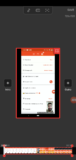
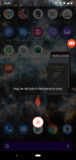

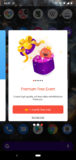
About Mobizen Screen Recorder
Mobizen screen recorder is a free and easy-to-use screen recording Android app. This screen recorder for Android phones allows users to record, capture, and edit videos all in one place.
Perfect for screen recording games such as PUBG Mobile and Call of Duty mobile. Use its free Face Cam feature to record yourself while recording the mobile screen at the same time.
It’s easy to use “Air Circle” which will enable you to start and pause recording whilst playing the game. You can also use the Air Circle to capture screenshots or to view app help tutorials.
Mobizen Screen Recorder app
Mobizen is the perfect and free screen recorder when it comes to screen recording and face cam sync features.
Once you click the record button the air circle will tuck away on one side of the screen. You can always move it around and adjust it according to your liking.
Just click on the air circle and hit pause, your video will be saved automatically. You can view and edit it in the same place without the need to download any external software.
The recorded video quality is very good considering that the app is free. The default video recording is set at 720p with 60 Fps recording quality.
Although most of the features are free and enough for you to start your screen recording project its Premium Upgrade will give you a smoother and better experience. For more information visit the developer’s website.
By upgrading to a premium version you can remove ads, remove the watermark, and add your watermark. Having your watermark will give your recordings and videos for your channel a more branded experience.
Technical file information
| Package name: | com.rsupport.mvagent |
| Version: | 3.11.2.5 (170501041) |
| File size: | 98.4 MB |
| Updated: | |
| Minimum Android version: | Android 6.0 (Marshmallow, API 23) |
| Screen DPI: | nodpi |
| Architecture: | arm64-v8a, armeabi-v7a, x86, x86_64 |
| MD5: | 1306136d81572c472ba1b395d124be7d |
| SHA1: | db98cc7fd36de64cbcf544853c4f5401ee9e3032 |
Older Versions of Mobizen Screen Recorder:
We’ve archived multiple Mobizen Screen Recorder APK versions. Whether you’re downgrading or need a specific build, browse and download the older version that meets your needs. Download Mobizen Screen Recorder Old Versions »
What's new in this version of Mobizen Screen Recorder?
✨ Improvements
- Improved overall app stability.
- Enhanced compatibility with Android 8.0 devices.


Reviews:
it’s nice app
We are giving it 5 stars. Don’t forget to share your views!